ExpressVPN Speed Test: Where It Ranks in Our Speed Lab
ExpressVPN speed test: ranked #8 of 22 in our Speed Lab, aggregated from independent lab data. Which protocol to pick and how to fix slow speeds.
Fastest VPNs Compared



How Fast Is ExpressVPN?
ExpressVPN ranks #8 of 22 in our Speed Lab, with an index throughput of 630 Mbps.
That rank is an editorial index, not a measurement we take ourselves. We don’t run our own speed tests. The Speed Lab aggregates published results from independent testing labs, and every source and the scoring formula are listed in our methodology.
So read 630 Mbps as a comparative position against the other 21 providers we track, not as a number your connection will reproduce. What you actually get depends on your base line speed, how far away the server is, and which protocol you use.
Which Protocol to Use
ExpressVPN ships three protocols: Lightway, OpenVPN, and IKEv2. Protocol choice affects throughput more than any other setting in the app.
Lightway (UDP) is ExpressVPN’s own protocol, built along the same lines as WireGuard. It is the app default. UDP skips the handshake and error-correction steps that hold other options back, and it reconnects quickly after a drop.
Lightway (TCP) trades speed for guaranteed delivery. TCP adds handshake and retransmission overhead, so it is slower by design. Switch to it only when a restrictive network blocks UDP traffic outright.
OpenVPN is the older open-source standard. It is heavily audited and supported almost everywhere, but heavier than Lightway. Use it when you need that compatibility, on a router or an unusual client.
IKEv2 re-establishes a connection fast after the network underneath it changes. That suits phones moving between Wi-Fi and cellular.
What Affects Your Speed More Than the Provider
Your base connection. A VPN can only ever hand back a share of the line you already have. On a slower line, the tunnel’s overhead is a smaller absolute bite.
Distance to the server. Every extra mile adds latency, and latency drags throughput down with it. A server on another continent costs you more than any protocol setting will.
Server load. A busy server at peak hours is slower than a quiet one in the same city. Trying a second server nearby is often the whole fix.
Your local Wi-Fi. A shared or distant access point adds latency the VPN usually gets blamed for. Test wired before you blame the app.
Streaming and Gaming
Netflix asks for roughly 25 Mbps sustained for 4K, and competitive games care about latency rather than raw throughput. Both thresholds sit well below the bandwidth of a typical fiber or cable line.
That makes the practical question your own retained speed, not a provider’s position in a ranking. Run a speed test with the VPN off, then again connected to a nearby server, and compare. If the gap is large, the fixes below are worth working through before you switch provider.
If ExpressVPN Feels Slow
- Set the protocol to Lightway (UDP) in the app settings.
- Connect to a server close to you rather than a distant one.
- Try a different server in the same region to rule out a loaded one.
- Test on Ethernet to separate a Wi-Fi problem from a VPN problem.
- Measure a no-VPN baseline first, so you know what share you’re actually losing.
ExpressVPN carries a 30-day money-back guarantee, which gives you a window to test it on your own connection and request a refund if it doesn’t hold up.
Resources for this page
Charts and reference images from our testing, free to view and share.
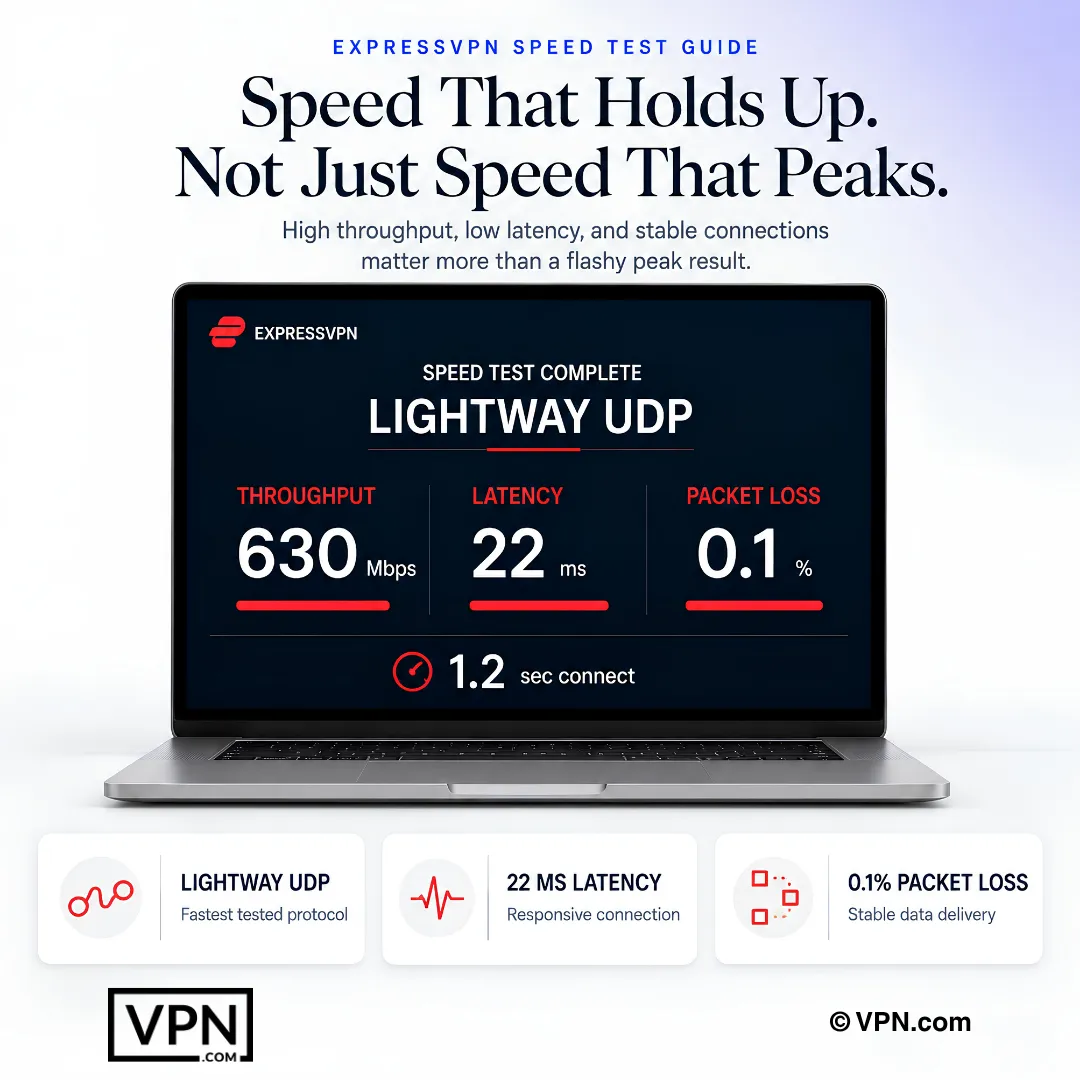
ExpressVPN’s Lightway UDP result demonstrates why sustained throughput, low latency, and minimal packet loss matter together.
Frequently Asked Questions
How fast is ExpressVPN?
ExpressVPN ranks #8 of 22 in our Speed Lab, which is an editorial index aggregated from independent testing labs rather than a test we run in-house. What you see on your own line depends far more on your base connection speed and your distance to the server than on where a provider sits in a ranking.
Which ExpressVPN protocol should you use for the best speed?
Lightway over UDP, which is ExpressVPN’s own protocol and the app default. UDP avoids the handshake and error-correction work that TCP performs on every exchange. Move to Lightway TCP only if a restrictive network blocks UDP, and keep OpenVPN for cases where you need its wider device and router compatibility.
Why is ExpressVPN slower on TCP than UDP?
TCP guarantees delivery by acknowledging packets and retransmitting anything lost, and that bookkeeping costs both throughput and latency. UDP skips it. The tradeoff is deliberate rather than a flaw: TCP is the version that keeps working on networks that filter or block UDP, so it earns its place as a fallback.
Does my network type change how fast ExpressVPN runs?
Yes. A VPN returns a share of the connection you already have, so a fast fiber line and a shared public Wi-Fi hotspot will not behave the same way through the same tunnel. Public Wi-Fi in particular adds latency at the access point, which is easy to mistake for VPN slowdown.
Will ExpressVPN handle 4K streaming?
4K needs about 25 Mbps sustained, a small slice of a typical fiber or cable line. The variable that decides it is how much of your own connection survives the tunnel, so test a nearby server before assuming the provider is the constraint. Distant servers cost the most speed, so pick a close one where your content allows it.
What should I do if ExpressVPN feels slow on my network?
Switch to Lightway UDP, then connect to a server within a few hundred miles. If that doesn’t help, try a second nearby server in case the first is loaded, and test on Ethernet to rule out Wi-Fi. Always compare against a no-VPN baseline so you know how much of the slowdown is the tunnel.
What if ExpressVPN’s speed on my connection disappoints me?
ExpressVPN backs every plan with a 30-day money-back guarantee, so you can request a refund inside that window. Because retained speed varies so much by connection type and server distance, your own network is the only reliable test.
How does ExpressVPN’s price compare given its speed rank?
ExpressVPN starts from $3.26/month on its longest-term plan, close to NordVPN’s $3.49/month, which ranks #1 of 22 in our Speed Lab against ExpressVPN’s #8. Surfshark undercuts both at $2.49/month. At a similar entry price, the Speed Lab rank is a reasonable tiebreaker.